Shared Concept Structure
The core map exists as a canonical knowledge structure in the system. Every user references the same conceptual backbone, which enables consistent interpretation and comparable progress signals.
A living map of understanding, built from real learning activity.
New Subpage - Pitch Poster
A poster-style page that turns the concept, differentiators, and future vision into a quick pitch.
Section 1 - Big Idea
Transcripts, note dumps, and completed tasks all miss the same thing: conceptual topology. The Knowledge Map treats understanding as a graph of ideas that expands as someone learns. Progress is visible, cumulative, and anchored to actual work.
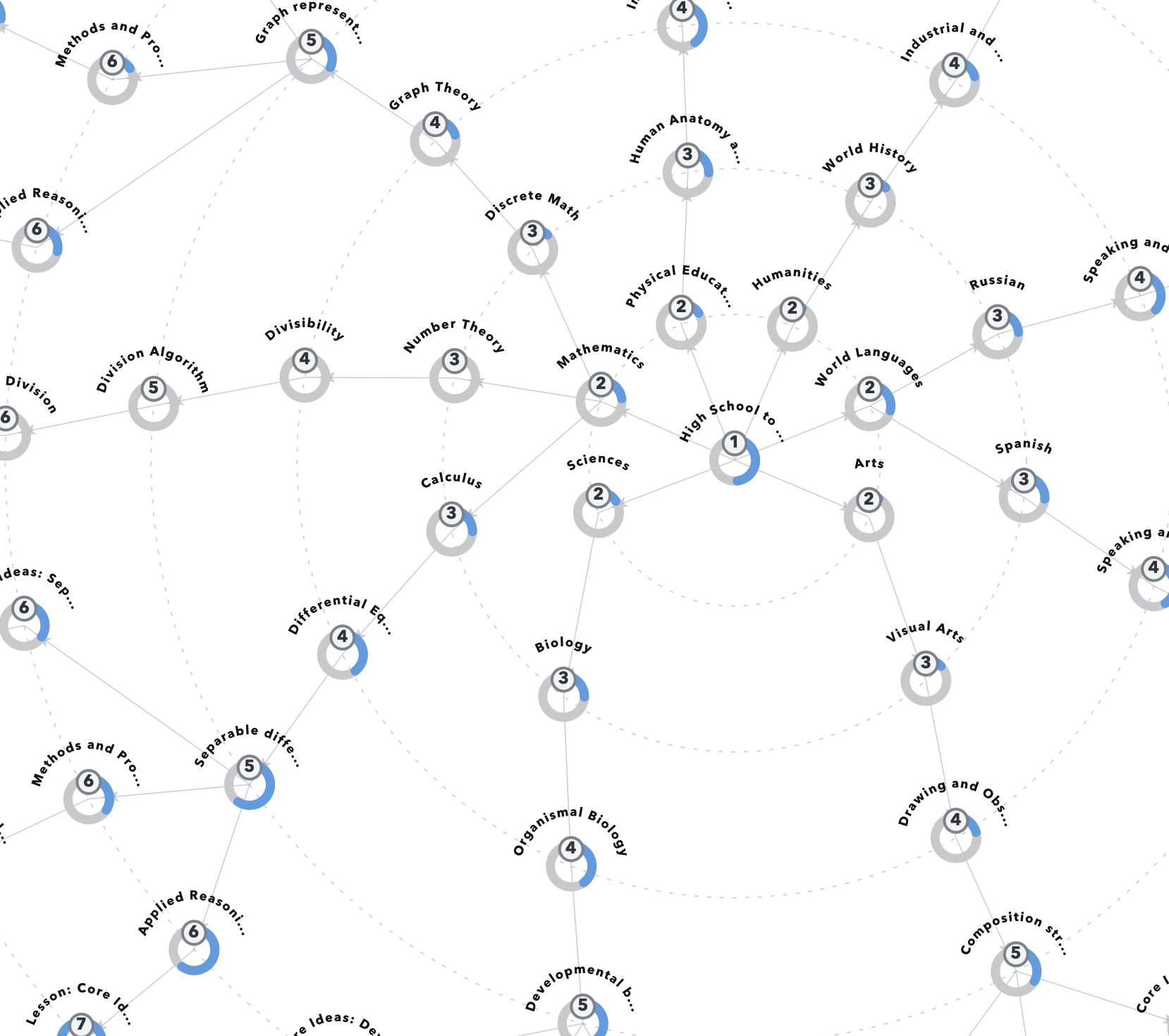
Current graph prototype showing a user-facing map with visible concepts and evolving mastery intensity.
The map is a concept graph with hierarchical depth. It starts at broad domains such as mathematics, sciences, humanities, and world languages, then decomposes into subfields and eventually lesson-sized, fine-grained topics. It is designed to mirror how ideas are related in reality, not just how courses are listed in catalogs.
The core map exists as a canonical knowledge structure in the system. Every user references the same conceptual backbone, which enables consistent interpretation and comparable progress signals.
Mathematics → Number Theory → Divisibility → Division Algorithm → Integer Division
This depth is essential. A shallow taxonomy cannot represent the shape of understanding; a deep graph can.
The map is both content structure and personal progress structure: one part defines what ideas exist, the other part records how mastery accumulates for each individual.
Users do not start with the full map exposed. The full structure is present in the backend, but the visible map is sparse at first. As activity is logged and mastery appears on specific nodes, those nodes become visible. The map grows outward from real engagement.
Nodes are revealed when the user has demonstrated meaningful work connected to those concepts. Visibility is not theoretical curriculum coverage; it is evidence-backed learning activity.
Over time, each profile becomes a unique intellectual map that reflects what that person has studied, where they have depth, and where they have only early exposure.
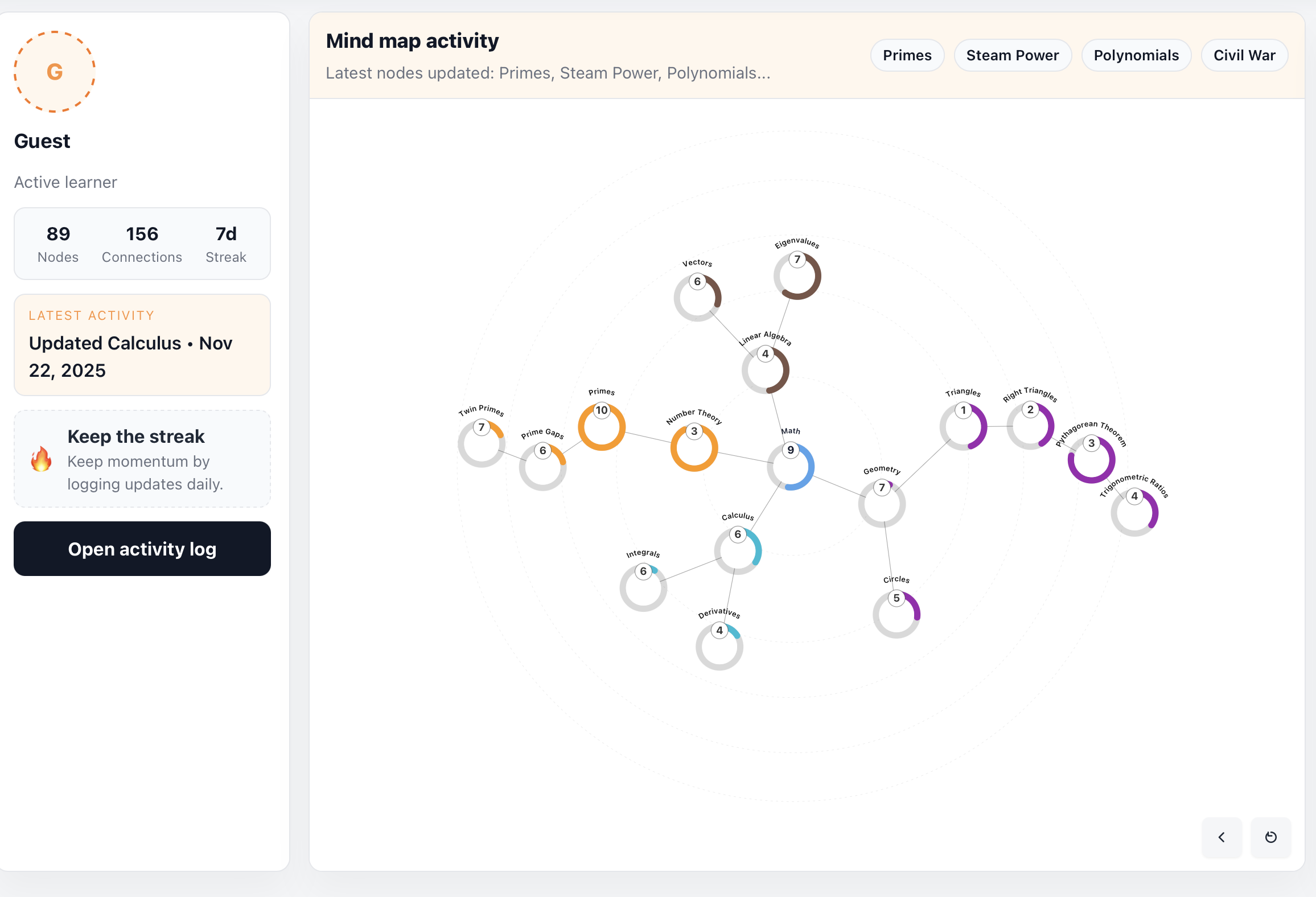
Before and after graph snapshots that make growth visible as users continue posting and mastery propagates through parent concepts.
The project loop starts with user activity posts. A post can include duration, activity type, and a written description of what was actually worked on. That description is not just social content: it is input to a concept inference pipeline.
User logs work session details and writes what they studied or built.
ML and text understanding infer likely fine-grained leaf concepts from the description.
One or more leaf nodes are selected with confidence-aware weighting.
Matched nodes are incremented and the map state is recalculated for visibility and rollups.
Mastery is continuous, not binary. A relevant activity increases one or more leaf nodes by a measured amount. That local gain then propagates upward through parent concepts with attenuation. The result is a map that records both depth at specific nodes and breadth across larger domains.
Leaf node increment: Integer Division + delta
Parent propagation: Division Algorithm + delta * w1
Higher parent: Divisibility + delta * w2
Domain rollup: Number Theory + delta * w3
Higher-level concepts become meaningful summaries of many lower-level interactions. This is what makes the map interpretable over months and years, rather than just sessions.
The system combines personal knowledge tracking with social learning behavior. Users do not just post updates; they build a visible representation of their intellectual life. The feed provides accountability, while the map provides structure and cumulative meaning.
Individuals get a long-horizon record of what they have actually engaged with, not just what they planned to study.
Peers, collaborators, and mentors can see a structured profile of learning activity, not only a stream of isolated posts.
The architecture separates stable knowledge structure from user-specific state. A shared graph captures the curriculum and concept hierarchy. Per-user mastery overlays that shared graph without duplicating core topology. Social and account workflows remain in relational storage, integrated with activity processing.
Graph database stores the shared concept hierarchy, parent-child relations, and traversal logic used for propagation and visibility.
Per-user mastery values are layered on top of shared nodes, enabling personalized maps against a common conceptual structure.
Relational data model handles users, posts, feeds, and engagement metadata with transactional guarantees.
NLP/ML concept assignment maps post text to leaf concepts, then triggers mastery propagation and map state updates.
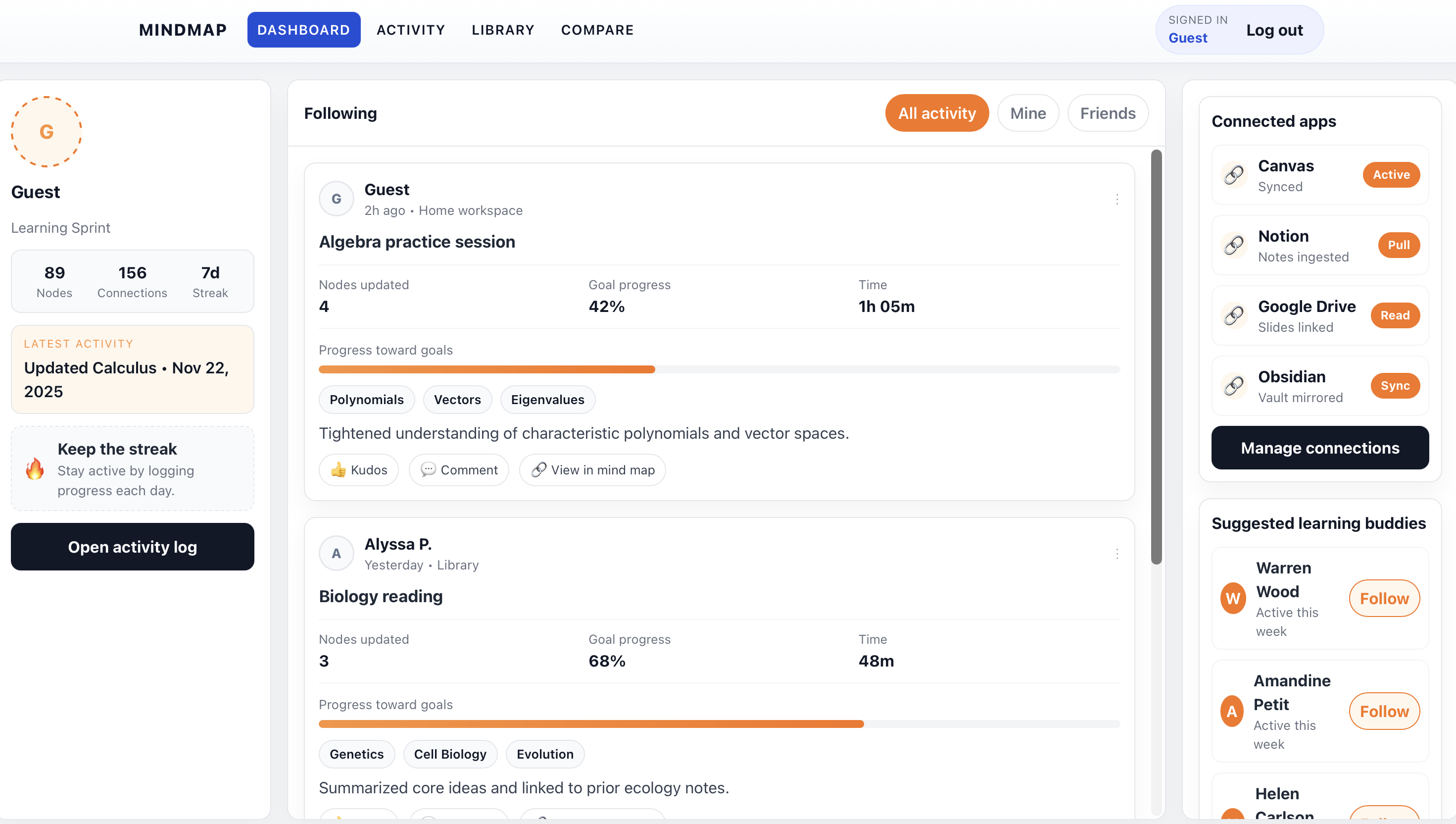
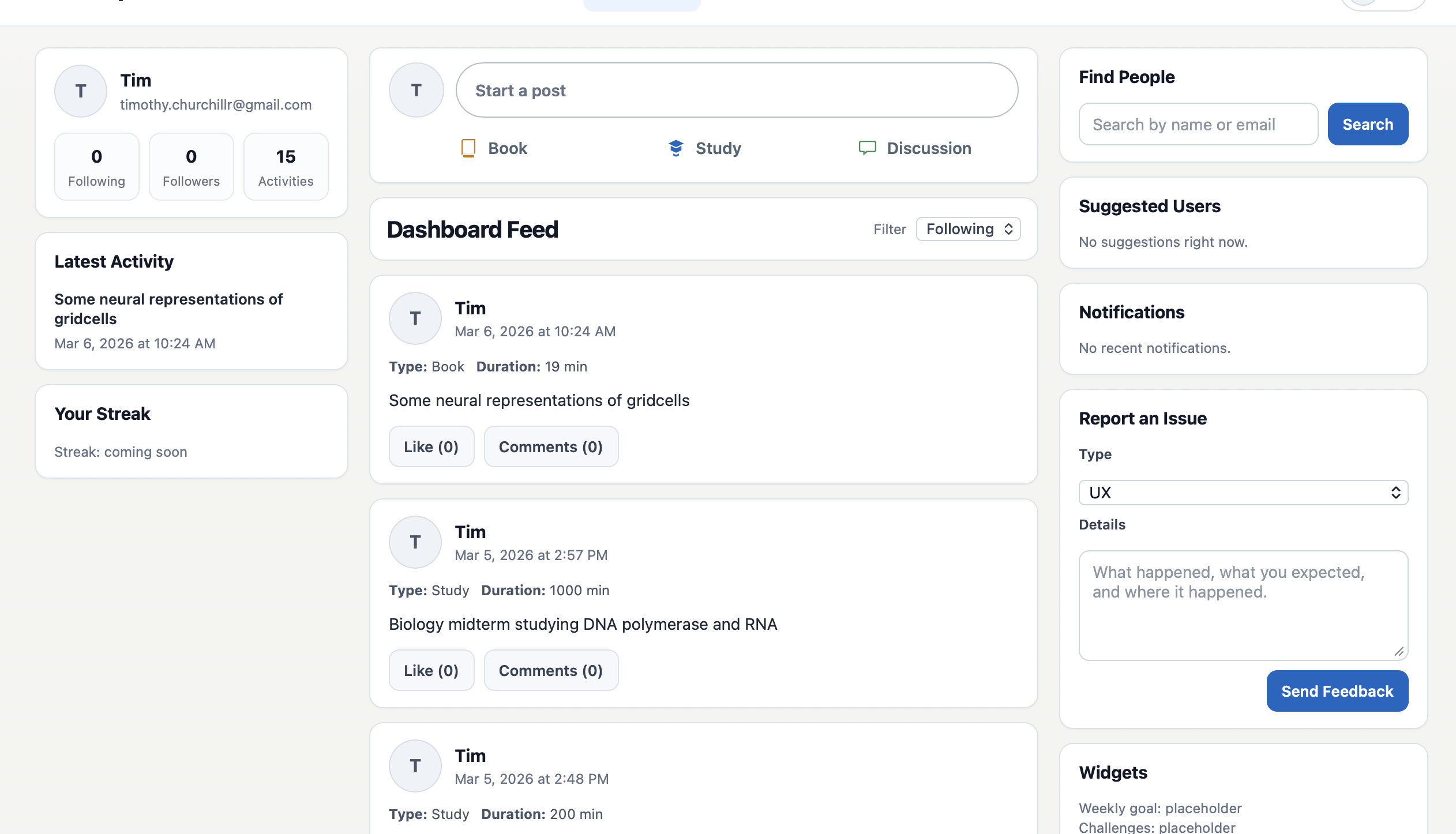
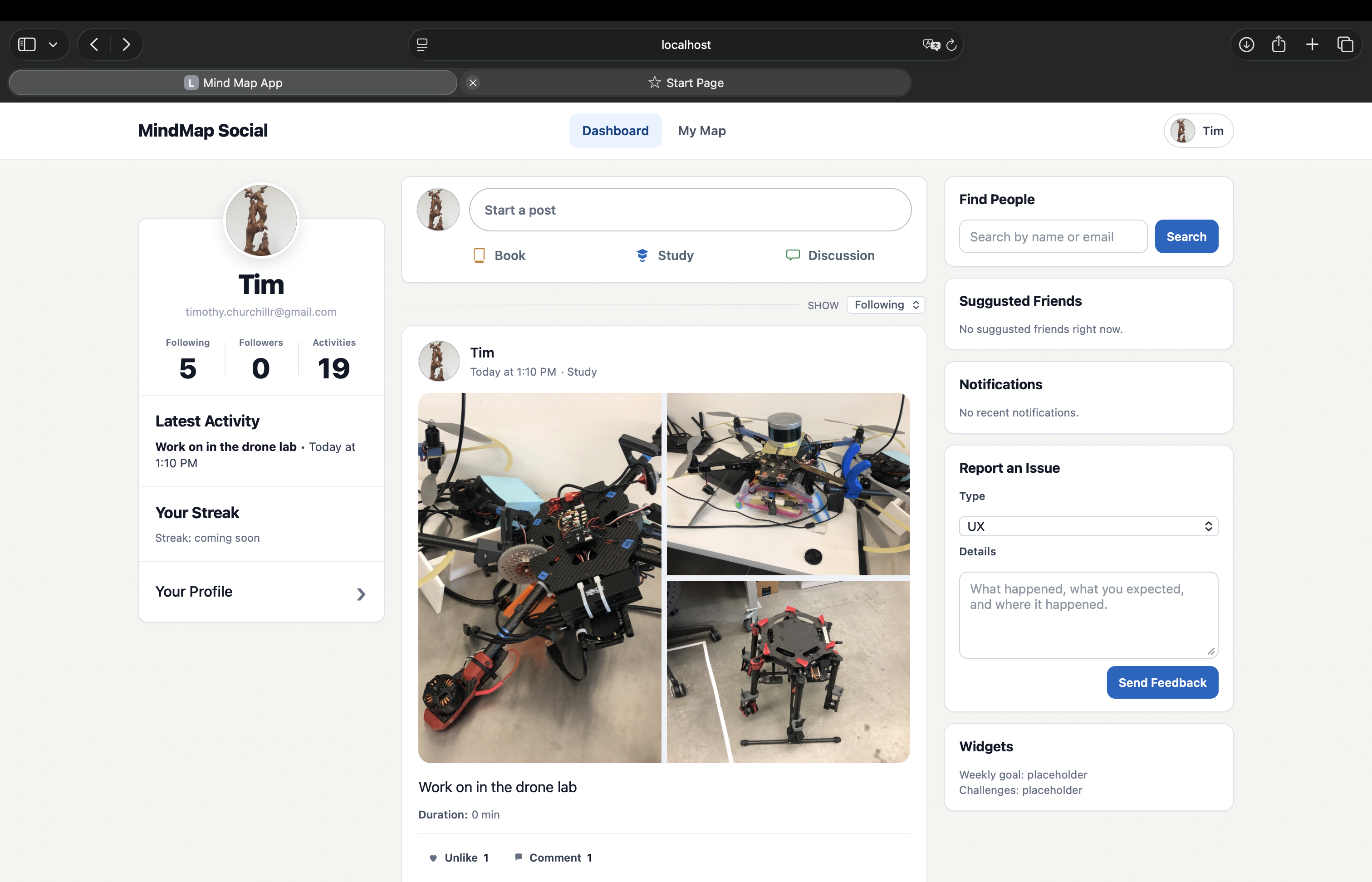
UI iteration snapshots from the project that show how the feed and map surfaces are converging into a single learning interface.
The system supports structured social contexts beyond individual profiles. Users can create or join groups organized around a shared learning purpose: study circles, book clubs, research cohorts, or challenge runs. Groups are typed and optionally scoped by privacy, and each one can be associated with specific knowledge branches so members have a shared conceptual focus.
Study Group, Book Club, Coding Bootcamp, Research Circle, and Challenge are distinct group archetypes that signal different norms of engagement and duration.
Public groups are discoverable and open. Private groups are invite-only, useful for cohorts or closed curricula where membership is controlled.
The Learn section exposes the curriculum graph as a set of structured, progressable learning paths. Each branch of the knowledge graph becomes a navigable subject with individual topic nodes. Users can see exactly how much of a branch they have covered, how many topics remain, and what percentage of each domain is complete.
Each top-level domain in the graph is a separate learning path with its own progress bar.
Individual leaf-level concepts within a branch are listed in order, with completion status tracked per-user.
An overview panel aggregates total topics, topics remaining, topics complete, and overall percentage across all active branches.
Completing a topic through the Learn surface feeds the same mastery pipeline as activity posts, keeping the two views in sync.
Users build a personal learning plan directly on the map surface. A plan browser panel exposes available curriculum sources organized by topic. From there, users can expand branches, check how many importable nodes are available, and add entire branches or individual sections to their personal map with a drag or a single click. This separates the shared knowledge structure from the user's active, chosen plan.
Branches from a catalog source can be dragged directly onto the map canvas to integrate them into the user's active plan, giving a tactile, spatial sense of choosing what to learn.
Each branch surface shows how many nodes are importable relative to what the user has already added, so users can avoid adding duplicate content and prioritize genuinely new material.
Most learning tools capture artifacts, tasks, or memory prompts. The Knowledge Map captures conceptual structure and evolving understanding.
Notes preserve content, but they rarely expose how ideas connect or where mastery is concentrated.
Flashcards optimize recall, but do not represent conceptual topology across domains and subdomains.
Completed tasks are binary events, while understanding is partial, layered, and cumulative.
Post feeds show activity streams, but do not convert activity into an interpretable knowledge graph.